Wednesday, December 17, 2008

Log4Net: Unable to send emails to multiple addresses

The SMTPAppender is supposed to be able to send log information to an email addresses that is specified in the To property.

Here is a basic configuration for the SMTPAppender for the config file.

<appender name="SmtpAppender" type="log4net.Appender.SmtpAppender">
            <to value="toEmailAddresses"/>
            <from value="fromEmailAddresses"/>
            <subject value="subject"/>
            <smtpHost value="smtpHostAddress"/>
            <bufferSize value="1"/>
            <lossy value="true"/>
      <evaluator type="log4net.Core.LevelEvaluator">
        <threshold value="WARN"/>
        <!--<threshold value="ERROR"></threshold>-->
      </evaluator>
      <layout type="log4net.Layout.PatternLayout">
                <conversionPattern value="%newline%date [%thread] %-5level %logger [%property] - %message%newline%newline%newline"/>
      </layout>
</appender>

Based on the SMTPAppender documentation, one should be able to send emails to multiple addresses and this is to be done by using the semi-colon as the delimiter. (documentation)

But if you try and do this, LOG4Net will decide to no longer send an emails. This was perplexing as, when I used a single email address Log4Net would correctly send out an email. But if I tried sending an email to multiple recipients, Log4Net would not send out an email.

After some testing, I found out that the correct delimiter in this case is supposed to be the COMMA (,) and not the semi-colon!

Now you know!

One issue I had while using the Log4Net API was that it seemed to be swallowing up exceptions that were occurring within it. That seemed to be the most logical explanation about what was going on with the multiple email addresses de-limited by semi-colons.

Here is useful information on how you can set Log4Net to emit it's trace information - which can be useful in tracking down these errors.

How do I enable log4net internal debugging?

2 methods are available to turn on internal debugging:

  • via the application's configuration file
    <configuration>....
        <appSettings>
            <add key="log4net.Internal.Debug" value="true"/>
        </appSettings>
    </configuration>
  • set the static log4net.Util.LogLog.InternalDebugging property to true.

Debug messages are written to the console. So for an ASP.net app or a windows forms based app you might think you are out of luck. But here is another little trick.

You can redirect data sent to the console to a file or another application. When the application that is using Log4Net is attached to a debugger, the console information is automatically captured to the output window. But if it is not then you can use a tool like DebugView to capture the output from Log4Net.

To capture Log4Net's trace information to a file you need to add the following information under the configuration node of the application's config file.

<configuration>
    ...
    <system.diagnostics>
        <trace autoflush="true">
            <listeners>
                <add 
                    name="textWriterTraceListener" 
                    type="System.Diagnostics.TextWriterTraceListener" 
                    initializeData="C:\log4net.txt" />
            </listeners>
        </trace>
    </system.diagnostics>
    ...
</configuration>

Monday, December 15, 2008

Geo-coder tool has been updated

My geo-coding tool now has a name “What’s the address?”. The page has been updated with various improvements (mainly cosmetic this time around).

image

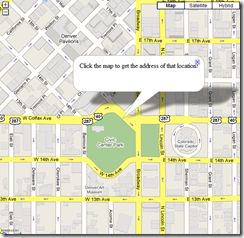
The tool allows you to extract the latitude,longitude for an address. In addition, the tool allows you to do the reverse – get the address of a location that you click on the map.

image

The tiny URL is: http://tinyurl.com/geocode

The complete URL is: http://www.aggregatedintelligence.com/googlemaps/reverseGeoCode.html

map-and-magnifying-glass1

Saturday, December 13, 2008

Vesting

Here is a good article on vesting (and how it is typically setup for new companies that are in the process of getting funding from VCs, etc.)

http://www.feld.com/blog/archives/2005/05/term_sheet_-_ve.html

Wednesday, December 10, 2008

PageRequestManagerServerErrorException with Status Code 401

The error "Sys.WebForms.PageRequestManagerServerErrorException: An unknown error occurred while processing the request on the server. The status code returned from the server was: 401", is due to a permissions issue. One can determine that by checking on the 401 error code.

In my case it was because a method on one of my web pages needed to have write access to folder where it created temporary images. Without the permission the browser would throw this generic error message. If you ran the page on a browser on the actual server, you would get the actual error message - which in my case clearly pointed to the fact that I did not have write access to the folder I was trying to write the images to.

Once the User account was given write access to that folder, the problem went away!

Monday, December 08, 2008

Google Maps – Forward and Reverse Geo-Coding

imageGoogle Maps allows you to plug in an address and get the location displayed on the map. But what Google Maps does not allow you to do is click on a location on the map and get the address of that location. The first is an example of forward geo-coding. The later is an example of reverse geo-coding.

I needed a tool that would allow me to quickly navigate to a location of a know address (forward geo-coding) and then display the addresses of different locations on the map (reverse geo-coding). So using Google Map API examples, I quickly created this very simple tool which will allow you to do this. Check it out at: http://www.aggregatedintelligence.com/googlemaps/reverseGeoCode.html.

Sunday, December 07, 2008

Best New Denver Restaurants (2008)

Based on the 5280 magazine’s best new Denver restaurants list, I have created a Google map containing the locations and some basic information about these restaurants (address, phone number, web URL, what to try).

Read the entire 5280 article from their website: http://www.5280.com/issues/2008/0812/feature.php?pageID=1461


View Larger Map


BatchGeoCode’s version of the map: http://www.batchgeocode.com/map/?i=3b82624767960921ead4b0afa0c820bf

The map was made by first creating an excel sheet with all the information in separate columns. The information was then copied and pasted into BatchGeoCode.com’s batch geo-coding tool. BatchGeoCode then took my data and created a KML file. The KML file was downloaded to my computer and then loaded into GoogleEarth. Then GoogleEarth was used to export the kml file as a KMZ file. The KMZ file was then imported into a new Google MyMap. (the step of going from KML to GE to KMZ was needed because there seems to be something wrong with BatchGeoCode’s KML file and it was not getting imported into MyMaps. Using GE to export the file seemed to do the trick for me).

Schmapp includes my photo in its tour guide

Schmapp used this photo of mine in their tour guide.

Saturday, December 06, 2008

iPhone App – Amazon Mobile

photoAmazon.com finally has released an app for the iPhone platform. Amazon is a great tool for comparison shopping as well as looking up reviews of other users – Amazon.com is one of the best review sites for all kinds of products (from books to music to electronics). An interesting tool that the Amazon app introduces is called “Amazon Remembers”. Amazon remembers lets you take a picture of a product that you wish to remember to research latter. Amazon will store the image on their server and in addition try and recognize the product in the image and send you an alert if they find the product on their site. (Not sure if images are recognized using machine learning or using human eyes).

The app also provides you with access to your Amazon.com account, which means that you can use 1-click to purchase products, view and edit your wish-lists and more.

Thursday, December 04, 2008

Oracle sequences and concurrency

Recently I had a question about sequences and their behavior when they are accessed concurrently by multiple users/sessions.

Surprisingly there is very little on this topic from Oracle (or for that matter on the web - search).

First some background (jump to the end if you wish to see my conclusion based on my research):

CURRVAL and NEXTVAL (collated from various documents on the net)

A sequence is a schema object that generates sequential numbers. When you create a sequence, you can specify its initial value and an increment. CURRVAL returns the current value in a specified sequence. Before you can reference CURRVAL in a session, you must use NEXTVAL to generate a number. A reference to NEXTVAL stores the current sequence number in CURRVAL. NEXTVAL increments the sequence and returns the next value. To get the current or next value in a sequence, use dot notation:

sequence_name.CURRVAL
sequence_name.NEXTVAL

Each time you reference the NEXTVAL value of a sequence, the sequence is incremented immediately and permanently, whether you commit or roll back the transaction.

After creating a sequence, you can use it to generate unique sequence numbers for transaction processing. You can use CURRVAL and NEXTVAL only in a SELECT list, the VALUES clause, and the SET clause.

Any reference to CURRVAL always returns the sequence's current value, which is the value returned by the last reference to NEXTVAL. Note that before you use CURRVAL for a sequence in your session, you must first initialize the sequence with NEXTVAL.

Within a single SQL statement, Oracle will increment the sequence only once per row. If a statement contains more than one reference to NEXTVAL for a sequence, Oracle increments the sequence once and returns the same value for all occurrences of NEXTVAL. If a statement contains references to both CURRVAL and NEXTVAL, Oracle increments the sequence and returns the same value for both CURRVAL and NEXTVAL regardless of their order within the statement.

A sequence can be accessed by many users concurrently with no waiting or locking.

Conclusion:

From my research here is what I have determined:

  1. Concurrent access of NextVal on a sequence will always return separate values to each caller. (Unless the sequence has been setup to cycle values - in which case duplicate values are possible).
    An important point to remember is that a sequence is under no circumstances ever rolled-back. For this reason sequences can end up with holes.
  2. CurrVal returns the last value generated for a sequence when NextVal was called on it. The CurrVal is independent for each session (where a session is a distinct connection, as a single database user, to the database by an external program). This means that CurrVal will always return last value generated for you, regardless of how many times NextVal is called by other users on that sequence.
    So sequence can be safely used concurrently and you do not have to worry about CurrVal returning you some other users current value for the sequence.

As an aside, if you are using a sequence to generate a record id and if you are trying to determine the last inserted rowid then you can use the returning keyword in Oracle.

eg: insert into tableName(table_id,.....) values (mySequence.NextVal,......) returning table_id into variable_name;
(this forum post shows how returning keyword can be used when the row id is updated using an on insert-before trigger using an ODP.net example - http://forums.oracle.com/forums/thread.jspa?messageID=1719562&#1719562)

Here is a good article that delves into the depths of Oracle Sequences: http://www.oracle.com/technology/products/rdb/pdf/0307_sequences.pdf

Wednesday, December 03, 2008

Spelling Alphabets (Phonetics) for the iPhone

I created a quick web-application for converting words to their phonetic equivalent. Obviously this isn’t the first website that can do that, but this one has been optimized for the iPhone (sort of!).

Basically all I had to do is add the following line to “HEAD” part of the document.

<meta name = "viewport" content = "width=device-width">

And that takes care of making the document be the right size for the iPhone. The rest had to do with the right placement of the controls.

photo

Check it out at http://tinyurl.com/69kuca (http://www.aggregatedintelligence.com/Phonetics/Default.aspx).

The website also allows you generate the spelling alphabets using a URL. http://www.aggregatedintelligence.com/Phonetics/Default.aspx?Word=Phonetic Alphabet (Just replace “Phonetic Alphabet” in the url with whatever word or sentence that you need converted).

(Phonetics – Spelling Alphabets - on the iPhone)