Showing posts with label WP7. Show all posts

Sunday, February 26, 2012

WP7–providing feedback through vibration

Here is the code:

VibrateController vibrate = VibrateController.Default;
vibrate.Start(TimeSpan.FromMilliseconds(500));

Msdn: http://msdn.microsoft.com/en-us/library/microsoft.devices.vibratecontroller(v=vs.92).aspx

Tuesday, February 21, 2012

WP7 #30tolaunch–Nokia Lumia 800

I found a brown package waiting at my door when I returned home yesterday and upon opening it I was surprised to find that Microsoft had sent me my Nokia Lumia 800 as part of the “30 to launch” program.

wp7-nokiaLumia

Here are some of my thoughts upon unboxing it:

  1. It needs a micros-SIM card. I have a normal SIM card – so I am going to have to wait to try out all the phone features. (Note: My current contract is with AT&T and all I had to do was to go into the store and they swapped out my SIM card for free. If you are adventurous, you can cut your existing SIM card to the micro SIM card factor, see “How to convert a SIM to a micro SIM with a meat cleaver!”)
  2. There was no getting started pamphlet in the box. So it took me a while to figure out where the USB cord and the SIM card go. Hint: they go in on the top side. (Press the button labeled (1) and the USB door will pop open. Slide the piece labeled (2) and the SIM card holder should pop out) (see: Nokia user guide)
     image
  3. The phone was heavier than I expected it to be. (this is subjective, as I havent checked out its actual weight, but compared to my Samsung Focus, it definitely feels heavier). But, I am still figuring out if the feeling of heft in my hand is a good or bad thing, as the heft definitely makes the phone feel substantial in my hand (and not like a plastic toy).
  4. The screen is beautiful. Even compared to the Samsung’s AMOLED screen, this one is definitely more vibrant. The touch screen also feels a lot more responsive.
  5. Oddly, I got a USB charger that had the round UK plug prongs instead of the flat prongs that are used in the US. I think that is because these are units made for sale in UK (or Europe) and were brought here especially for the #30ToLaunch program. Luckily it uses the MicroUSB cable, so I already have many chargers sitting around and didn’t need the packaged USB charger.
    image


This is definitely a nice phone!

Wednesday, February 15, 2012

Bing Route Service Reference errors in Visual Studio

When I was trying to reference the Bing Route service in a WP7 app (http://dev.virtualearth.net/webservices/v1/routeservice/routeservice.svc), I kept getting errors from SvcUtil that the service could not be referenced properly. Some of the error messages looked like the following:

Custom tool warning: Unable to load one or more of the requested types. Retrieve the LoaderExceptions property for more information.

There was an error importing a wsdl:portType that the wsdl:binding is dependent on.
XPath to wsdl:portType: //wsdl:definitions[@targetNamespace='http://dev.virtualearth.net/webservices/v1/route/contracts']/wsdl:portType[@name='IRouteService']
XPath to Error Source: //wsdl:definitions[@targetNamespace='http://dev.virtualearth.net/webservices/v1/route']/wsdl:binding[@name='BasicHttpBinding_IRouteService']

Not sure why the errors were being raised, but what I found was that if I deleted the existing service reference and then restarted Visual Studio and then re-added the service reference, the errors went away. WEIRD! but it works now.

Saturday, February 11, 2012

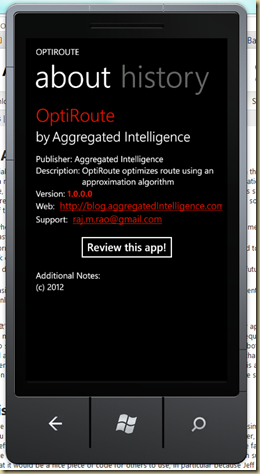
WP7–Your Last About Diaglog

Came across “Your Last About Dialog” (YLAD) project for Windows Phone 7. It makes it extremely easy to build an About page for your WP7 application (About pages are a requirement for WP7 apps, without which you will fail certification).

Using YLAD is as simple as installing it as a NuGet package for your phone project, configuring a few values in a XML file and setting up the link to bring up the page.

In less than 10 minutes I had the following Pivot pages created:

image  image

Install YLAD via NuGet or by downloading it from CodePlex: http://ylad.codeplex.com/

In addition, check out the one page documentation that goes into the configuration of the About page: http://ylad.codeplex.com/documentation

Friday, February 10, 2012

Windows Phone 7–Application Lifecycle

MSDN reference on the WP7 application lifecycle: http://msdn.microsoft.com/en-us/library/ff817008(VS.92).aspx

Execution Model Diagram for Windows Phone 7.5

And remember to enable “Fast Application Switching” (FAS) in your app, all you need to do is to check the IsApplicationStatePreserved property and perform state loading only if the property is false.

private void Application_Activated(object sender, ActivatedEventArgs e)
        {
            if (!e.IsApplicationInstancePreserved)
            {
                LoadStateFromStorage();
            }
        }

Monday, February 06, 2012

WP7–using Application.Resources to define string resources

Scenario: You need to define a string value that needs to be reused across your application (eg: Application Title)

One way the above scenario can be implemented is by using the “Application.Resources” in the App.Xaml file.

The first step is to define the string resource. This is done by defining the type (clr:String) and a key that will be used to access the string. The value is also defined here:

<Application.Resources>
        <clr:String x:Key="ApplicationTitle">OptiRoute</clr:String>
</Application.Resources>

The above resource can then be accessed in your XAML markup using StaticResource markup extension:

<TextBlock x:Name="ApplicationTitle" Text="{StaticResource ApplicationTitle}" Style="{StaticResource PhoneTextNormalStyle}"/>

Sunday, January 29, 2012

PhoneGap + WP7–OpenSource MultiPlatform Mobile app development

PhoneGap is an open source mobile app development platform that allows you to create an app for Windows Phone 7 (WP7) and the same app can also be run on other app platforms. Windows Phone support was added as part of version 1.3.

Read the quick start to see how easy it to create a WP7 app.

And here are some videos on using PhoneGap with WP7: http://phonegap.com/2011/12/20/phonegap-for-windows-phone-getting-started/

And more information can be found at this blog-post: PhoneGap for WP7 dissected

Monday, October 31, 2011

WP7–Hidden Wifi networks–Awesome Possum

Got to try out the new WP7 mango capability of being able to connect to hidden networks. It works. Nothing more to it. It was one of the features that I was waiting quite eagerly for.

It works…. Enuff said.

Awesome!

Saturday, October 29, 2011

WP7–NeutralResourceLanguage attribute is missing

If you get the “Neutral Resource Language” attribute is missing when uploading a XAP during app-submission, then you need to set the Neutral Language.

image

The Neutral Language setting is set via the project properties under the Assembly Information dialog.

image

Important: Once you have uploaded your app, you cannot change the Neutral Language to setting that narrows the language set. (example: if your previous version was English, then you cannot select English (United States)).

Friday, October 21, 2011

WP7 Mango–New features (part 1)

Some of the new features that I am discovering today…..

WP7 now has vision search:

  1. Take a picture of the front cover of a book – and the phone recognizes the book and returns search results
  2. Take a picture of the bar-code – and the phone searches the bar-code for results on the Internet
  3. Take a picture of text within the book and:
    1. The phone performs OCR and you can select text from the page and then perform search
    2. The phone can translate the text to whole bunch of languages.

Another feature that I have been waiting for WP7 to get is the ability to add hidden networks.

Just go to the phone settings app and check under Wifi. Under the advanced options, you can now click the plus (+) button, to add hidden networks.

Search using Bing Voice:

Thursday, June 30, 2011

WP7 Mango–Multi tasking support

Yes, Windows Phone 7 will support multi-tasking with the Mango update.

To check it out, just press the back button for a couple of seconds and you should see a screen that displays all the applications currently running.

To kill an app, select it from the multi-tasking screen and then hit the back button. (The windows button will continue running the app in the back ground).

Sunday, May 29, 2011

WP7 App Store Submission–Image sizes

During submission of a WP7 application, you need to provide various images that are used in displaying the app in the marketplace. Here are the current requirements for the different images.

Large Mobile App Tile (173 x 173 pixels @ 96 DPI)
image

Small mobile app tile (99 x 99 pixels @ 96 DPI)
image

Large PC app tile (200 x 200 pixels  @ 96 DPI)
image

Background art (1000 x 800 pixels @ 96 DPI)
image

Screenshots (upto 8 images: 480 x 800 pixels @ 96 DPI)
image

WP7 Mango–Ad and in depth look at features

Friday, April 22, 2011

WP7 february and march updates – now available

Finally, the February and March updates for my Windows Phone 7 Samsung Focus are available….. installing them right now through zune.

image image

And the installation experience was flawless!

Sunday, January 09, 2011

WP7–Application Quotas for Developers

A developer account on WP7 app hub allows you to publish 5 free apps for free, after which you need to pay for every new free app you publish. Here is some additional information regarding the quota.

  1. You can publish unlimited paid apps to the marketplace.
  2. You get to publish 5 free apps to the marketplace, after which you pay $20 per app.
  3. When it comes to updates to your published app:
    1. They are always free and never ever count towards your free quota of applications.
    2. Even an update that fails certification does not count towards your free quota.

To me, the above is an extremely reasonable cost of publishing apps to the market-place because if you think about it, this is what you get for $100 from Microsoft:

  1. An excellent app-store via the Zune.
  2. Management and reporting of downloads of your apps
  3. Free QA team that makes sure that your app performs to a minimum set of requirements (performance, appearance and behavior).
  4. Publicity via Bing’s Visual Search tool.
  5. Free development IDE – that is better than any other IDE out there.

Saturday, January 08, 2011

Windows Phone 7–Design Guidelines–Cheat Sheet

An excellent resource put together by the Silverlight SDK team, if you are developing a WP7 app, print it and paste it on a wall. Many of the guidelines will help you through the certification process and maybe even get your app through on its first submission.

Windows Phone 7 – Design Guidelines – Cheat Sheet

The tips are copied from the post here:

Navigation, frames and pages

  • Mockup the pages and navigational map of your application and walk through them several times before coding. This will minimize or eliminate the need to add pages or change the map later, when it will be much harder.
  • Make sure to consider the back button and user interactions with the application bar when creating your navigation map.

Application Bar

  • Use the application bar button for common application tasks.
  • You are limited to four application bar buttons.
  • Place less frequently performed actions in the application bar menu.
  • If the action is difficult to clearly convey with an icon, place it in the application bar menu instead of as a button.
  • You are limited to five application bar menu items to prevent scrolling.
  • Standard application bar icons are installed as part of the Windows Phone Developer tools. Find them at C:\Program Files\Microsoft SDKs\Windows Phone\v7.0\Icons
  • Custom application bar icons should be 48 x 48 pixels and use a white foreground on a transparent background. You do not need the circle in the icon, as this is drawn by the application bar.

Back button

  • Pressing the back button from the first screen of an application must exit the application.
  • Pressing the back button must return the application to the previous page.
  • If the current page displays a context menu or a dialog, the pressing the Back button must close the menu or dialog and cancel the backward navigation to the previous page.
  • You should only implement back button behaviors that navigate back or dismiss context menus or modal dialog boxes. All other implementations are prohibited.

Screen orientations

  • Portrait is the default application view-you must add code to support landscape view
  • If an application supports landscape it cannot specify only left or only right landscape views – both views must be supported.

Application icon

  • Application icon should be 62 x 62 pixels and PNG format.

Tiles and tile notification

  • Tile images should PNG format and measure 173 pixels by 173 pixels at 256 dpi
  • Make sure to change Build Action for images to Content when you add them to Visual Studio.

Themes

  • Avoid using too much white in applications, such as white backgrounds, as this may have an impact on battery life for devices that have organic LED displays.
  • If the foreground or background color of a control is explicitly set, verify that the content is visible in both dark and light themes. If the set color is not visible, also explicitly set the background or foreground color to maintain contrast or choose a more appropriate color.

Application settings

  • Application actions that overwrite or delete data, or are irreversible must have a “Cancel” button.
  • When using additional screens with commit and cancel buttons, clicking those buttons should perform the associated action and return the user to the main settings screen.

Touch input

  • All basic or common tasks should be completed using a single finger.
  • Touch controls should respond to touch immediately. A touch control that lags or that seems slow when transitioning will have a negative impact on the user experience.
  • For time consuming processes, developers should provide feedback to indicate that something is happening by using content to indicate progress, or consider using a progress bar or raw notification as a last resort. For example, show more and more of the content as it is being downloaded.
  • The touch and hold gesture should generally be used to display a context menu or options page for an item.

On-screen keyboard

  • You should set the InputScope property for a text box or other edit controls to define the keyboard type and enable the appropriate typing aides. For example, if you choose the URL input scope, a keyboard layout will be shown featuring a .com key.

Canvas/Grid for layout

  • Canvas uses a pixel-based layout and can provide better layout performance than the grid control for deeply embedded or nested controls in for applications that do not change orientations.
  • Grid control is the best choice when the application frame needs to grow, shrink, or rotate.

Panorama control/pivot considerations

  • Both panorama and pivot controls provide horizontal navigation through phone content, enabling the user to flick and pan as necessary.
  • Use panorama elements as the starting point for more detailed experiences.
  • Use a pivot control to filter large data sets, providing a view of multiple data sets, or to provide a way to switch between different views of the same data.
  • Do not use the pivot control for task-based navigation, like in a wizard application.
  • Use for vertical scrolling through a list or grid in panorama sections is acceptable as long as it is within the confines of the section and is not in parallel with a horizontal scroll.
  • Never place a pivot control inside of another pivot control.
  • Never place a pivot control inside of a panorama control.
  • Applications should minimize the number of pivot pages.
  • The Pivot control should only be used to display items or data of similar type.

Text guidelines

  • Use fonts other than Segoe sparingly
  • Avoid using font sizes that are smaller than 15 points in size.
  • Maintain consistent capitalization practices to prevent a disjointed or jagged reading experience.
  • The title bar application title should be all capitals.
  • User all lower case letters for most other application text including page titles, list titles, etc.

Saturday, January 01, 2011

WP7 - "Manual rotation cannot be used in automatic rotation mode"

If you ever get the less than information exception message: "Manual rotation cannot be used in automatic rotation mode", then it is most probably because you are using Microsoft’s AdControl for Windows Phone 7 and you created your AdControl instance with rotation enabled and you also requested the control to display a new ad.

Here is what you need to know:

When you specify that rotation is enabled in the AdControl constructor, then the AdControl will automatically display new ads and you don’t have to do anything. But if you do enable rotation of ads, then you cannot call “RequestNewAd”, else you will get the exception shown above.

Thoughts:

The error is basically stating that you cannot manually rotate Ads when the Ad control was instantiated to automatically rotate the ads. The reason I don’t like the exception message is that just by looking at the message its hard to figure what it means or what caused it. In addition, the fact that the message was being caused on the Windows Phone, it led me on a wild goose chase looking for issues with the code that handled orientation changes of the phone. (Though, I must admit that if I had groked the AdControl docs, I would have known what the rotation argument actual stood for, instead of assuming that it meant the control supports orientation changes).

More Info:

RequestNextAd: http://msdn.microsoft.com/en-us/library/ff973787(v=msads.10).aspx

AdControl class: http://msdn.microsoft.com/en-us/library/ff973756(v=msads.10).aspx

Friday, December 31, 2010

Help for choosing a great #WindowsPhone7 device

This infographic put together by the folks at Technobolt allows you to quickly compare the important features of all the WP7 phones available, so that you can make the best choice based on your needs (Click to view it in its full glory):

I bought the Samsung focus based on its screen type (Super Amoled) and its weight and I love it!